Switcher for Plugwise Source1.2.4
Publisher Description
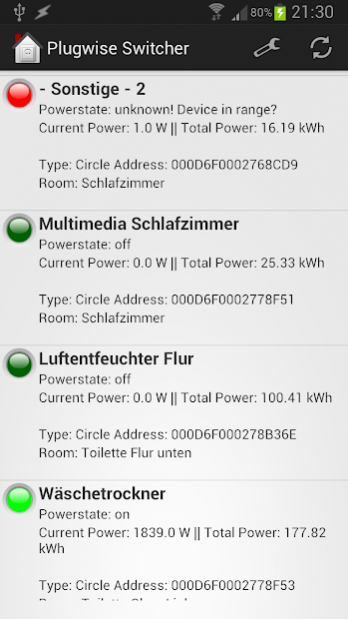
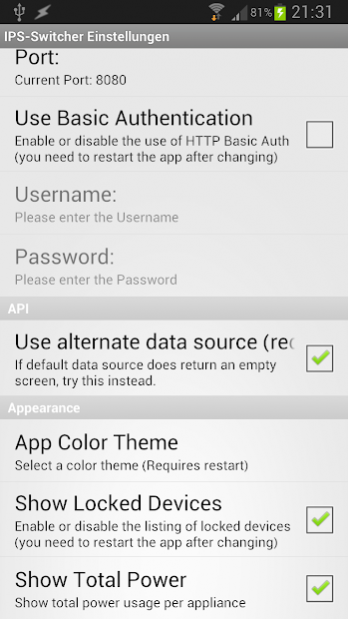
Switcher for Plugwise Source is a tool that enables you to toggle the powerstate of plugwise circles without having a Plugwise Smile P1 or Plugwise Stretch hardware. All you have to do is to enable the webserver service in the Plugwise Source software and configure the app with the IP address of the webserver and you're set. Switcher for Plugwise Source pulls all available appliances and shows their current power state and power consumption. If you click on an item in the list, the corresponding circle will be switched on or off.
If you have any questions or feature wishes, please contact me rather than leaving a bad rating.
Graphics from http://www.clker.com/ Mainly from OCAL, thanks!
About Switcher for Plugwise Source
The company that develops Switcher for Plugwise Source is Silent Services. The latest version released by its developer is 1.2.4.
To install Switcher for Plugwise Source on your Android device, just click the green Continue To App button above to start the installation process. The app is listed on our website since 2013-10-29 and was downloaded 19 times. We have already checked if the download link is safe, however for your own protection we recommend that you scan the downloaded app with your antivirus. Your antivirus may detect the Switcher for Plugwise Source as malware as malware if the download link to com.silentservices.plugwise_switcher is broken.
How to install Switcher for Plugwise Source on your Android device:
- Click on the Continue To App button on our website. This will redirect you to Google Play.
- Once the Switcher for Plugwise Source is shown in the Google Play listing of your Android device, you can start its download and installation. Tap on the Install button located below the search bar and to the right of the app icon.
- A pop-up window with the permissions required by Switcher for Plugwise Source will be shown. Click on Accept to continue the process.
- Switcher for Plugwise Source will be downloaded onto your device, displaying a progress. Once the download completes, the installation will start and you'll get a notification after the installation is finished.
Program Details
System requirements
Download information
Pricing
Version History
version 1.2.4
posted on 2013-10-29
v1.2.5,- Changed App name due to request from Plugwise,v1.2.4,- Changed Default UI (simple view still available as alternate),- Added more information in each row (Type, Address, Room),- Changed app icon due to risk of confusion with avast,v1.2.3,- Added alternate data source (change in settings) for customers who have problems with the old one. Go to Settings -> Use alternate data source,- Most changes in settings are effective immediately now (not all!),- Added Total Power Usage per device
